Guides / pdf to cad units mm inch
Millimetres or inches: setting units for a converted PDF
Getting PDF to CAD units right, mm or inch, takes one decision before you convert and one check after. Get it wrong and the drawing arrives exactly 25.4 times too big or too small, the most common surprise after a conversion. Here is why it happens and how to avoid it.
Why does a PDF have no drawing units?
A PDF describes a printed sheet. Every coordinate is in PDF points, and one point is 1/72 of an inch (0.353 mm). A converter turns points into real units: millimetres (1 pt = 25.4 / 72 mm) or inches (1 pt = 1/72 in). That is where your choice comes in: the same line becomes 200 in a millimetre DXF and 7.874 in an inch DXF.
How do I pick the right units?
- 1Read the dimensions3 600 or 3.6 m means millimetres or metres; 12' 6" means feet and inches
- 2Match the outputmm for metric drawings, inches for imperial ones
- 3Match the importset the same unit when your CAD program opens the DXF
- 4Measure one linecheck a known dimension before you draw anything
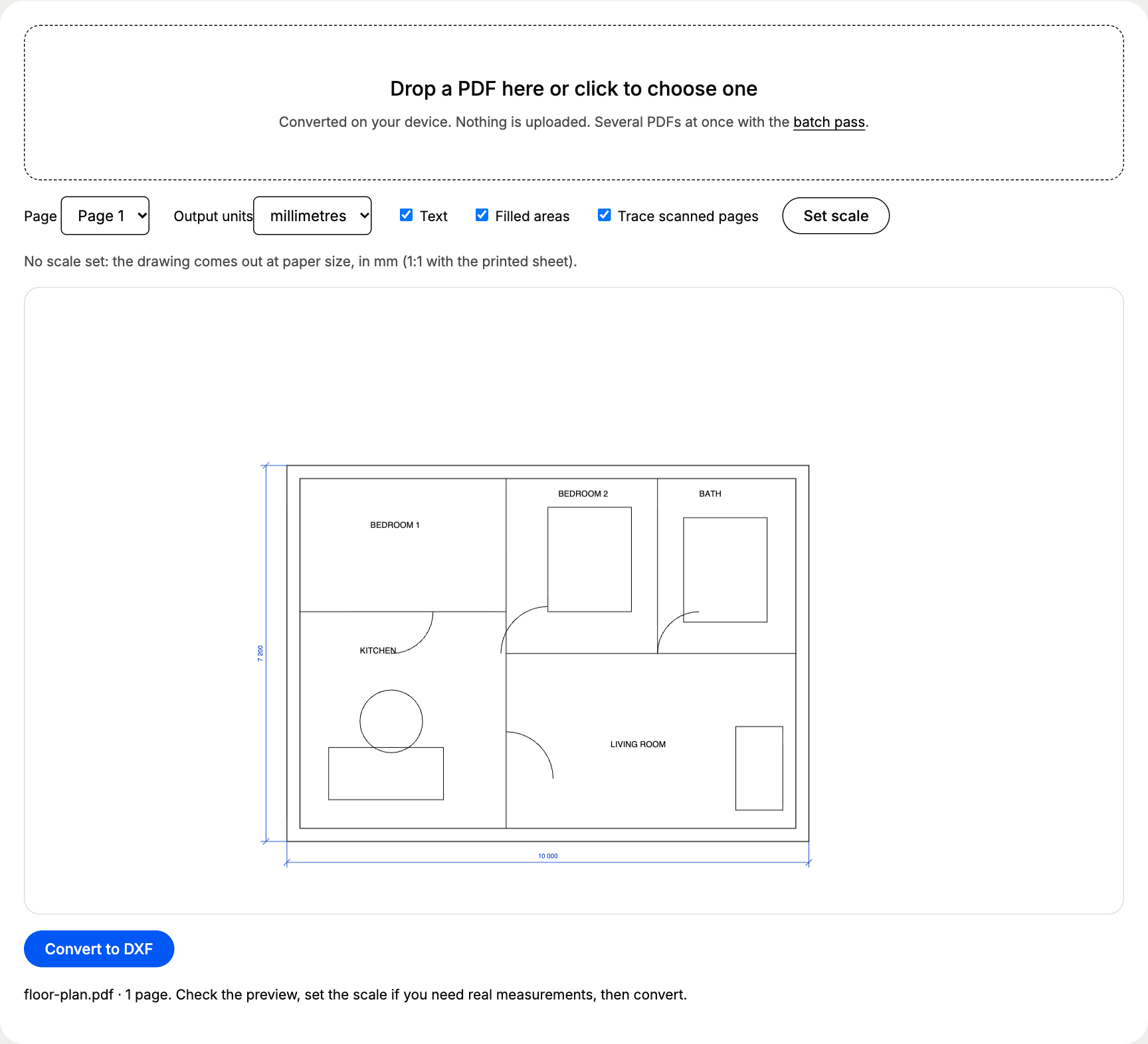
The free PDF to DXF converter has an Output units menu with millimetres and inches, next to the scale tool:
What happens when the units don’t match?
The CAD program does not resize anything; it reads the numbers as the wrong unit. A 1 000 mm wall, read wrongly, becomes:
A 1 000 mm wall after a unit mix-up, in millimetres
| Right units | 1,000 mm |
|---|---|
| Read as centimetres | 10,000 mm |
| Read as inches | 25,400 mm |
| Read as feet | 304,800 mm |
| Your drawing measures | Likely cause | Fix |
|---|---|---|
| 25.4 times too big | mm file read as inches | Scale by 0.03937 (1/25.4) from 0,0 |
| 25.4 times too small | inch file read as mm | Scale by 25.4 from 0,0 |
| 304.8 times too big | mm file read as feet | Scale by 1/304.8 |
| 50 or 100 times too small | units right, drawing scale missing | Scale by the drawing scale, or set the scale from a known dimension |
| A few percent off | PDF printed with “fit to page” | Scale from a long known dimension |
Units or scale: which one is wrong?
These two get mixed up all the time, and they need different fixes.
A units problem
- Off by exactly 10, 25.4, 304.8 or 1 000
- Every drawing from that source is off the same way
- Fix: the import or output unit setting
A scale problem
- Off by the drawing scale: 20, 50, 100, 200
- Or a few percent, from fit to page
- Fix: scale from a known dimension
A quick test: divide the length you measured by the length you expected. If the answer is 25.4 or its inverse, fix the units. If it is the number in the title block, fix the scale.
Does DXF remember the units?
Barely. DXF R12, the version free converters write because every program reads it, has no units setting at all, so the program you open it in decides. Newer DXF versions store $INSUNITS, but many CAM and laser programs ignore it. That is why Fusion’s Insert DXF and SketchUp’s import options ask for units, and why AutoCAD users should check INSUNITS and measure after opening.
What should I check after conversion?
- Measure the longest known dimension and compare it with the printed figure.
- Check one small detail too (a door width, a hole): it catches a wrong scale on part of the sheet.
- Save the drawing in your office’s units before anyone else opens it.
Ready to convert? Pick your units, set the scale and download the DXF with the free PDF to DXF converter.
Questions people ask
Why is my converted drawing 25.4 times too big?
The DXF was written in millimetres and your CAD program read it as inches (or the other way round for 25.4 times too small). Scale everything by 1/25.4 or 25.4 from 0,0, or convert again with the right output units.
Does a DXF file store its units?
DXF R12, the version most converters write, has no units setting at all. Newer DXF versions have $INSUNITS, but many programs ignore it, so always set the units on import.
Should I pick mm or inches for a European drawing?
Millimetres. Metric architectural and engineering drawings are dimensioned in mm, so a 3 600 mm room reads as 3 600 in CAD. Pick inches only when the drawing is dimensioned in feet and inches.
Do units fix the scale too?
No. Units say what one drawing unit means; the scale says how big the drawing is. A 1:50 plan in the right units is still 50 times too small until you scale it.